

The Content Creation Revolution: Mastering TopMedia AI for Professional and Rapid Video Production
For those seeking excellence and speed in digital content production, the challenge has always been monumental. The traditional process of creating high-quality videos demands a costly combination of skills: scriptwriting, recording, video editing, audio mixing, professional narration, and soundtrack composition. This journey is often fraught with bottlenecks, requiring heavy software, powerful hardware, expensive microphones, and, above all, time—a scarce resource for independent creators and marketing teams alike.
The aspiration to produce professional videos quickly, without compromising quality or delving into technical complexities, once seemed unattainable. However, the advent of integrated platforms leveraging artificial intelligence (AI) is redefining the creation landscape. These tools promise to democratize access to high-level production, eliminating the need for extensive editing expertise and the high costs associated with a traditional studio setup.
It is in this context that TopMedia AI emerges, positioning itself as a complete creation studio accessible directly through the browser. This platform not only automates tedious tasks but also cohesively integrates realistic voice generation, text-to-video creation, and original music composition, allowing the creator to focus purely on the idea and content, while AI handles the technical execution with surprisingly professional results.
TopMedia AI: The Complete Cloud-Based Creation Studio
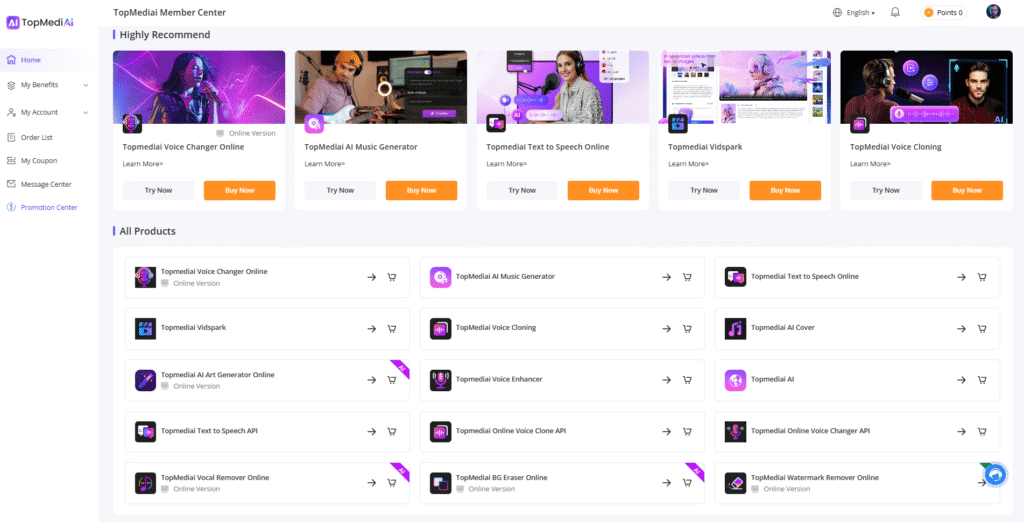
TopMedia AI establishes itself as a multimedia production center, distinguished by its speed and intuitive interface.
The platform eliminates the barrier of heavy software and steep learning curves, allowing anyone, regardless of their prior editing experience, to generate high-quality media assets in minutes.
Promise is clear: click, choose the desired content type, and the artificial intelligence takes care of the entire rendering and composition process.
The results are often indistinguishable from content produced using traditional, high-end methods.
Value Proposition of Integration and Efficiency
The major differentiator of TopMedia AI lies in its integrated architecture. Instead of generating a voice in one tool, composing music in another, and then trying to synchronize everything in a complex video editor, the platform unifies these functionalities. This means that the AI-generated voice can be directly applied to a video avatar, and the automatically composed music can serve as the soundtrack, all within the same working environment. This workflow fluidity is vital for large-scale content production, whether for YouTube channels seeking consistency or video marketing campaigns requiring agility.
Navigating the Creation Hub: The Core of Intelligent Production
To begin exploring the capabilities of TopMedia AI, the user must access the website and log in. The starting point for all production functionalities is the Creation Hub, located within the Member Center. This hub is logically organized, dividing the tools between music production and general creative tools, ensuring that the user quickly finds the desired resource.
Overview of Tools and Use Cases
The Creation Hub covers a wide range of tools designed to meet various content needs, from rapid social media creation to robust video marketing and podcast production. The platform offers specific solutions for:
- Social Media Content Creators: Tools optimized for YouTube, TikTok, and Instagram, including video generation with ideal formats and durations for each platform.
- Video Marketing Professionals: The ability to quickly generate explanatory and promotional videos using compelling narrations and avatars.
- Podcasters and Audio Creators: Text-to-Speech tools and audio enhancement for producing high-quality episodes or dubs.
The most central and frequently used tools are:
- AI Video Generator: Video generation based on text or image prompts.
- AI Music Generation: Composition of original soundtracks from prompts or lyrics.
- Text-to-Speech (TTS): Conversion of written text into realistic human speech.
In addition to these, the platform offers a set of advanced utilities that elevate the professional level of the content:
- Voice Cloning: Essential for creating a consistent audio brand, allowing the creator to use their own digitized voice to narrate long scripts. Ideal for ‘dark’ channels or documentaries.
- Dubbing and Translation: Rapid content localization to reach global audiences while maintaining lip synchronization.
- Lip Sync: Synchronization of AI-generated speech with the mouth movement of an avatar or photo.
- Audio Enhancement: Tools for refining audio quality, such as noise reduction.
- Watermark Remover: Utility for cleaning up images and videos from unwanted logos or marks.
The Power of AI Visual Content Generation
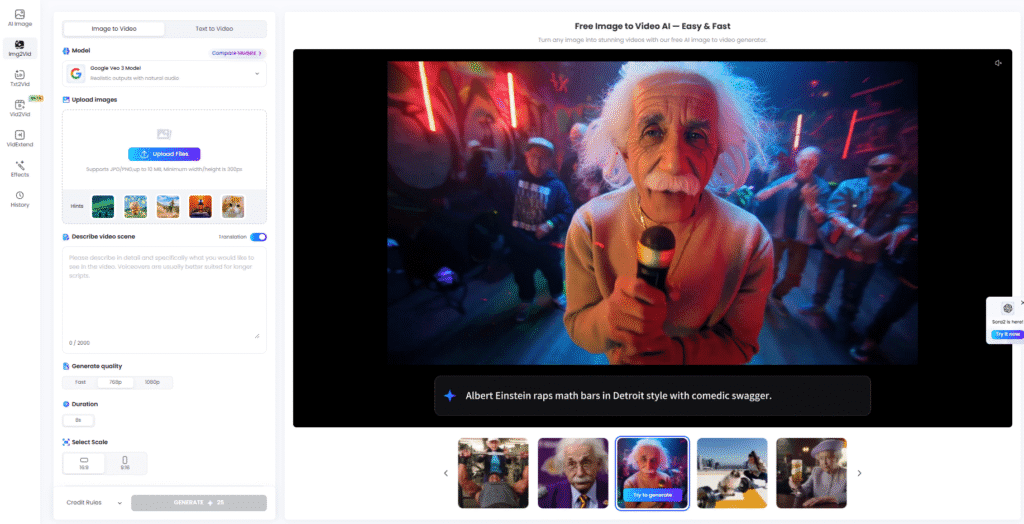
AI Video Generator is one of TopMedia AI’s most robust features, offering multiple approaches to transforming ideas into motion. The user can choose from various cutting-edge AI models to ensure the desired style and quality.
From Text and Image to Animated Video
The platform supports four main methods of visual generation, all highly customizable:
- Image Generation: Allows the creation of static images from text prompts. Users can select popular models like Nano Banana and Mid Journey. There is also the option for Image to Image, where a reference image is transformed according to a new descriptive prompt.
- Image to Video: This is a powerful tool for bringing static photos or illustrations to life. The user selects an image and then describes the scene or movement they want the image to perform. Available models, such as Sara 2, Google View 3.1, Vido 2.0, and Top Video 1.0, offer different animation styles. Video quality and duration are adjustable, and the creator can set the scale (portrait or landscape), which is crucial for optimizing content for different platforms (e.g., 9:16 for TikTok or 16:9 for YouTube).
- Text to Video: The most direct method, where the written prompt is translated directly into a video clip. It is ideal for rapid prototyping or creating abstract visuals that accompany a narration.
- Video to Video: Allows the user to take a reference video and apply transformations or visual styles based on a prompt. This can be used to artistically stylize a video or alter specific elements of the scene.
Creating Custom Soundtracks with AI Music
Music is an essential component of professional video creation, and TopMedia AI addresses this with an AI-based music generator that eliminates worries about copyrights and the need for generic music libraries. The system allows for the creation of original tracks perfectly suited to the content.
Three Creative Approaches to Music
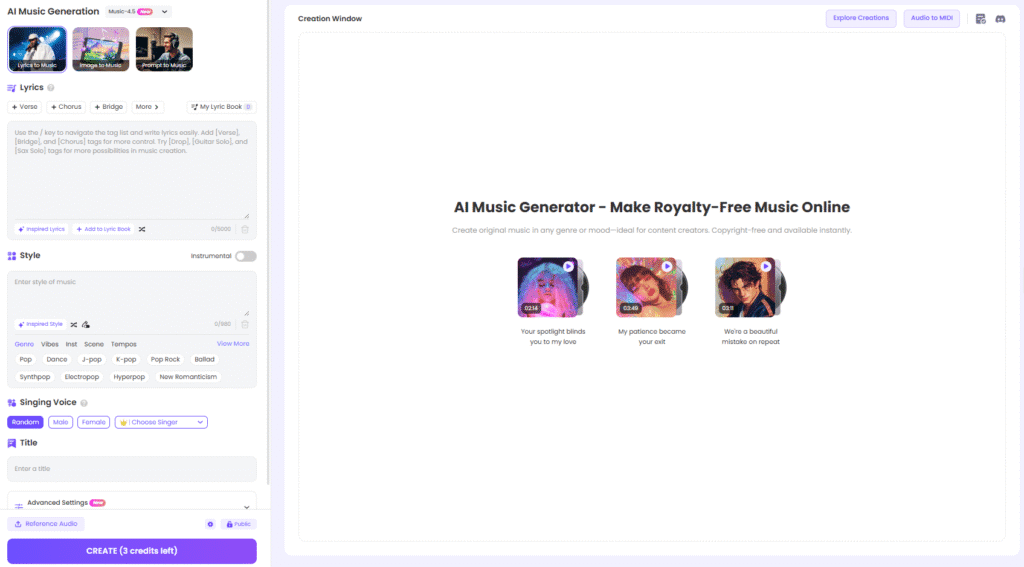
AI Music Generation offers flexibility in how the composition is initiated:
- Lyrics to Music: The user inputs the complete lyrics and selects the desired musical style. The AI composes the melody and harmony to accompany the text.
- Image to Music: A synesthetic approach. The user can use an image as a prompt to inspire a soundtrack that evokes the same emotion or visual atmosphere. For example, an image of a calm sunset might generate a Lo-Fi or ambient track.
- Prompt to Music: The most descriptive method, where the user details the desired style, mood, rhythm, and instrumentation (e.g., “upbeat electronic music with 80s synthesizers”).
Advanced Adjustments and Stylistic Influence
Customization goes beyond genre and voice selection (male or female). The platform includes advanced options that allow for precise creative control:
- Weirdness: This parameter controls the degree of experimentation and unpredictability of the composition. A high value may result in more unique and less conventional tracks.
- Style Influence: Allows defining the percentage of adherence to the chosen style. If the user selects