
LM Arena Update: How to Generate High-Quality, Watermark-Free AI Videos for Free
Artificial intelligence has radically transformed the content production landscape, and video generation is no exception. Until recently, accessing cutting-edge models that produce high-quality, realistic, and distortion-free videos often required expensive subscriptions or restricted access. However, the situation has dramatically changed with the latest update to a well-known AI community platform: LM Arena.

This innovative tool has not just updated; it has solidified its position as one of the best free options available, allowing content creators, enthusiasts, and professionals to generate videos completely free of charge, without the undesirable watermark, and, most impressively, utilizing the market’s leading and most advanced AI models, including those that are typically paid or exclusive. If you are looking for professional-quality videos at zero cost, this detailed guide is essential for mastering LM Arena’s new video generation mode.
What is LM Arena and Why is This Update a Game-Changer?
LM Arena is, at its core, a testing ground and comparison platform for Large Language Models (LLMs) and other AI tools. Originally, it allowed users to test and compare text models like Gemini, Claude, Grok, and ChatGPT side-by-side in their latest versions. This functionality has now expanded to image generation (using models like Nano Banana Pro) and, most recently, to video generation.
The revolution lies in the new “Video Generation Battle” mode. Instead of simply offering a fixed AI engine, LM Arena uses a blind comparison approach, exposing the user to cutting-edge models that would otherwise be inaccessible. This includes giants like Sora (OpenAI, though indirectly), Kling, Google V, and high-fidelity models like Sidens 1.5 Pro. The ability to generate videos with these technologies, for free and without a watermark, is a watershed moment in digital creation.
Accessing the Platform and the Battle Mode
To start generating your videos, the process is straightforward but requires attention to the details of the new interface:
- Access and Login: After accessing the official LM Arena website, you must log in. Account creation is simple, either via email or direct integration with your Google account.
- Locating the New Tab: Once logged in, look for the specific “Video Generation” tab, which is the central point of the new functionality.
- Activating Battle Mode: Ensure that the “Battle” option is selected. This is the mode that enables blind comparison and the use of advanced models.
- Starting Generation: Click the video generation icon and prepare to enter your prompt.
Mastering the Video Generation Battle Mode
The battle mode is the heart of the LM Arena video experience. It is designed to be interactive and educational, forcing the user to evaluate the quality of the output before knowing which model produced it. This ensures an impartial assessment and helps the community map the effectiveness of different AI engines.
How the Generation Process Works (Text-to-Video)
The generation process relies on detailed prompts. The more specific your request, the better the results generated by the AI models will be:
- Prompt Input: Type a detailed description of the video you want to create. For example: “Brazilian woman having a drink in a luxurious restaurant” or “Man driving a sports car at high speed in the desert”.
- Dual Generation: Upon submitting the prompt, the tool randomly selects two different AI models (unknown to the user at this point) and generates two video results simultaneously. The generation speed is remarkably fast, a significant differentiator.
- Analysis and Comparison: The two generated videos are displayed side-by-side. It is crucial to analyze the image quality, the fluidity of movement, adherence to the prompt, and, importantly, the presence of audio/speech.
- The Absence of Watermark: One of the biggest advantages of this mode is that the generated videos are clean, without any platform watermark, making them ready for immediate use in personal or professional projects.
The Importance of Voting and Model Revelation
After viewing the two videos, the system requires you to vote on which generation was superior. Although voting is not strictly mandatory for downloading the video, it is highly recommended, as it serves two purposes:
- Model Revelation: Only after voting does LM Arena reveal which AI model was used to generate each video. This allows the user to understand which technologies (such as Sidens 1.5 Pro, Hilo 2.3, Kling 2.3, etc.) produce the most desirable results.
- Platform Training: Your vote contributes to the continuous improvement of the platform, helping to identify and prioritize the most effective models.
Practical Voting Example: If you request a video of a sports car, and Video 1 (generated by Sidens 1.5 Pro) comes out with audio and high fluidity, while Video 2 (generated by Hilo 2.3) comes out without sound and with lower quality, by voting for Video 1, you learn that Sidens 1.5 Pro is a model the platform uses to generate videos with sound and superior quality.
Generating Video with Audio and Speech
The presence of audio is a decisive factor in the final quality of the generated video. Tests show that some models integrated into LM Arena are capable of generating videos with ambient sound and, in some cases, even coherent speech based on the prompt. This is a premium feature rarely offered for free.
- Models with Sound: Models like Sidens 1.5 Pro (and variations of One 2.5, depending on the version tested) have demonstrated the capability to add soundtracks or voices.
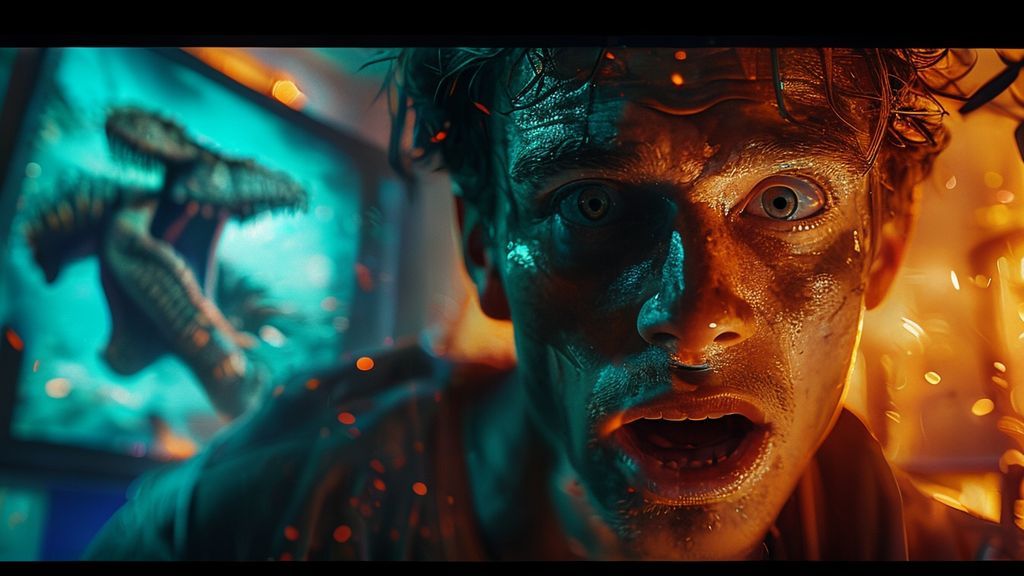
- Voice Quality: The quality of the generated speech is surprisingly high, as demonstrated in examples of a YouTuber running from a T-Rex or a man talking to his cat, where the intonation and clarity are notable.
- Variability: It is important to note that, as the model choice is random, the video will not always have sound. Battle mode allows you to continue generating until you find a model and prompt combination that results in audio.
Transforming Image into Video
In addition to traditional text-to-video, LM Arena also offers the functionality of animating static images. This feature is ideal for bringing illustrations, photos, or graphics to life, adding movement and even speech, if the model allows.
- Image Upload: Use the “Plus” option to upload your reference image.
- Animation Prompt: Type the prompt describing the desired movement and the action you want the figure in the image to perform (e.g., “Make the woman say something in Brazilian Portuguese”).
- Variable Results: Due to the nature of battle mode, the result may vary. Some models (like Kling 2.3) may not accept the reference image and generate a completely new video, while others may successfully animate the image but without sound. The key is to test and compare the results.
Limitations and Challenges of Free Generation
While LM Arena offers access to elite models for free, there are some limitations users should be aware of:
- Daily Generation Limit: The platform imposes a generation limit. The reported limit is approximately six videos per day. Although this may seem low, considering that each round generates two videos from potentially paid models, the added value outweighs the restriction. You must wait 24 hours to restart generations.
- Inability to Choose the Model: The user cannot manually select the AI model. The essence of the battle mode is precisely randomness and blind comparison. This means you may need to submit multiple prompts to “land” on a specific high-quality model, such as Google V or Sora V3.1 Fast, which are known for their excellence.
- Generation Errors: As with many emerging AI platforms, generation failures can occasionally occur. If an error message appears, simply try again or slightly adjust the prompt.
Additional Alternatives for Free Video Generation
In addition to the new battle mode on the website, LM Arena maintains an access method via Discord, and there is a sister platform that uses the same comparison concept. It is important to know these alternatives, as they offer additional quotas, albeit with different rules.
1. LM Arena via Discord (Additional Generation)
The LM Arena Discord server offers an alternative route for video generation, increasing your total daily quota.
Access and Generation Process:
- Server Access: You must accept the invitation and, if you don’t have one yet, create and verify your Discord account.
- Generation Channels: Look for channels named “Video Arena.” There are usually three channels available.
- Generation and Prompt: Use the slash command (/) and select the video generation option (
/generate videoor/image to video). Enter your prompt and wait.
Differences and Disadvantages of Discord:
- Additional Quota: You gain five more videos per day through Discord, complementing those from the website’s battle mode.
- Watermark: Unlike the website’s battle mode, videos generated on Discord usually contain a subtle LM Arena watermark at the end.
- Privacy: All your generations on Discord are public. Anyone on the server can view and download the videos you created, which can be a disadvantage if you are working on confidential projects.
- Instability: The Discord server can be more prone to generation failures (“Generation Failed”), requiring the user to try the command multiple times.
2. Design Arena: The Battle Clone
Design Arena operates under the same philosophy as LM Arena’s battle mode, but focused on design and visual media. It also offers the video generation functionality through blind comparison.
Key Features:
- Same Methodology: You enter the prompt, the platform generates two videos using random models (like Cardins or other variations), and you vote on the best one to reveal the model.
- Waiting Time: Generation in Design Arena can be slightly slower, often taking 5 to 10 minutes per round.
- Absence of Watermark: Like the main LM Arena battle mode, the videos generated here also come without a watermark.
- Inconsistent Results: The models used in Design Arena may have a lower rate of audio/speech generation compared to the cutting-edge models available in the main LM Arena.
Conclusion: The Future of Free AI Video Creation
The LM Arena update, focused on the video generation battle mode, represents a significant step forward in the democratization of artificial intelligence tools. The ability to access elite video models, such as Sora, Kling, and Google V, completely free and without watermarks, is an invaluable resource for the creative community.
Although there are limitations, such as the daily quota and the randomness in model selection, LM Arena establishes itself as the primary platform for anyone who wants to experience the state-of-the-art in AI video generation without financial investment. By mastering the battle mode and utilizing the alternatives via Discord and Design Arena, content creators can maximize their chances of obtaining high-quality videos, complete with sound and speech, ready to be integrated into any project.
The key to success is persistence and experimentation. Continue testing different prompts and voting on the best results to not only generate incredible videos but also to deeply understand the vast and complex ecosystem of AI models that is shaping the future of digital media.