
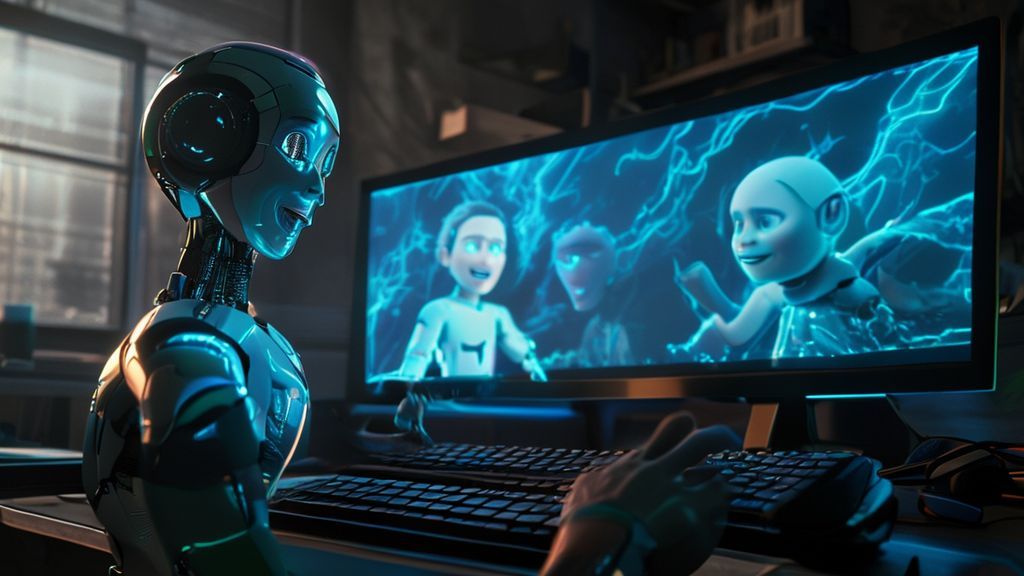
The Content Animation Revolution: How to Create Unlimited Viral Videos with Free Talking Characters from Adobe
The production of audiovisual content has undergone a radical transformation in the last decade, driven by the growing demand for short, engaging videos on social media. At the center of this revolution is Artificial Intelligence (AI), which has democratized complex tools, making professional animation creation accessible to everyone. One of the most notable and, surprisingly, free and unlimited tools in this space is the Animate Characters feature within Adobe Express.

This article offers a deep dive into this powerful tool, detailing how to use it to generate high-quality animated videos with impeccable lip synchronization, without the need for expensive software or advanced animation skills. We will analyze its workflow, explore its advanced features, such as speech enhancement, and uncover the editing strategies that turn these animations into viral content on major digital platforms like TikTok and Instagram Reels. Prepare to discover how to bring your voice to life in a captivating and efficient manner.
Adobe Express Character Animator: The Free, Unlimited Tool that Breaks Barriers
Adobe, the creative software giant, provides the Adobe Express Character Animator as a robust and accessible solution for creating videos with talking characters. Although not an absolute novelty in the market, its potential is still underestimated by many creators, especially because it is offered completely free of charge and, crucially, without the imposition of watermarks or strict daily usage limits, allowing users to produce a vast amount of material.
The main value proposition of this tool lies in its ability to transform a simple audio file into a complete visual performance, where the chosen character gestures, moves their head, and, most importantly, perfectly synchronizes their lips with the narration. This precision is a decisive factor for the video’s credibility and engagement, ensuring the message is conveyed clearly and engagingly.
Initial Access and Setup
The first step to using the Character Animator is to access the Adobe Express platform. The login process is simplified and follows modern authentication standards, making it easy to start production quickly:
- Navigation: Upon accessing the main page of the tool, the user is prompted to sign in.
- Login Options: Adobe offers various authentication options, including continuing via third-party accounts such as Google, Facebook, and Apple, in addition to the traditional creation of an account via email and password. This flexibility ensures quick and frictionless access.
- Account Creation: After logging in, the platform may request basic information, such as the month and year of birth, to finalize the profile creation and direct the user to the Adobe Express tool panel.
Once logged in, the user can navigate directly to the character animation section, where the creative process truly begins.
Mastering the Creation Interface: Character, Background, and Format
The creation screen is intuitive and organized into three main tabs, allowing total control over the video’s visual elements:
- Character: Selection of the scene’s main actor.
- Background: Definition of the scene or environment.
- Size (Format): Adjustment of the final video’s aspect ratio and resolution.
Development and Customization of the Animated Scene
The correct choice of visual elements is crucial for a viral video’s success. The Adobe tool offers a range of options that, although fixed, allow for significant personalization of the presentation.
Character Selection and Positioning
The character library is vast and diverse, ranging from stylized human figures (such as the popular ‘Grudento’ and ‘Bernardo’, frequently seen in viral videos) to objects and fantastical creatures. It is important to note that the tool, in its free version, does not allow the user to create a character from scratch or import external 3D models. The creator must work with the provided list.
After selection, the character can be manipulated on the preview screen. It is possible to:
- Resize: Adjust the character’s size so that it fits harmoniously into the scenario.
- Position: Move the character to any point on the screen, ensuring the best visual framing.
Customizable Scenarios and Backgrounds
The scene background is crucial for establishing context. Adobe Express offers a selection of predefined backgrounds, such as nature themes, urban environments, or interiors. However, the tool shines in its flexibility by allowing the upload of custom images. This is a huge differentiator, as it enables the creator to use scenarios generated by other AIs (like Midjourney or DALL-E) or high-resolution photos, integrating the animation into any desired visual context.
Formats and Aspect Ratios for Social Media
Optimization for different distribution platforms is a basic requirement in modern content production. The ‘Size’ tab allows the user to select the ideal aspect ratio, ensuring the video is displayed correctly on any network:
- Landscape (16:9): Ideal for YouTube and desktop viewing.
- Portrait (9:16): Essential for TikTok, Instagram Reels, and YouTube Shorts.
- Square (1:1): Suitable for Instagram or Facebook feeds.
The Magic of Dubbing: Enhanced Synchronization and Expressiveness
The heart of the Character Animator is its ability to animate the voice. The tool accepts two audio input methods, one of which is significantly more practical for polished content production.
Audio Upload Methods
- Live Recording: The user can record their voice directly on the platform. Although convenient, this method is more susceptible to noise and hesitation.
- Audio File Upload: The recommended method is to upload a pre-recorded audio file (MP3, WAV, etc.). This allows the creator to edit and refine the narration in professional audio software before animating it, ensuring maximum quality.
After uploading, the tool processes the file, analyzing the nuances of speech to generate the corresponding lip and gesture movements. This processing usually takes only a few minutes.
Detailed Analysis of Lip Sync and Movement
The animation result is notably superior to many competing alternatives. The lip synchronization is precise, which eliminates the robotic or out-of-sync effect often found in less sophisticated AI tools. Furthermore, the characters are not static; they demonstrate a richness of movements that add life to the performance:
- Hand Gestures: The character can move their arms to emphasize points in the speech.
- Subtle Facial Expressions: Blinking eyes and head movements that simulate human interaction.
- Gaze: The character can shift their gaze, avoiding uncomfortable fixity.
The success of these animations in viral videos is largely due to Adobe’s ability to humanize the digital character, making the viewer’s experience more enjoyable and less tiring.
Practical Examples and Insights into Digital Humor
The examples generated from the transcript audio demonstrate how humor and self-irony, popular themes on social networks, are amplified by animation. The anecdote of the ‘instant noodles and the prompt’ — where the search for a perfect prompt to boil water leads to forgetting the noodles — perfectly illustrates the current obsession with AI and how it fits into the most mundane tasks. The example of the ‘R$7 coffee versus the useless purchase on sale’ explores the flawed logic of personal finance, a highly relatable and viralizable theme.
Advanced Features: Speech Enhancement and Production Limitations
Although the tool is unlimited in terms of video quantity, it has a time restriction per generation and offers a crucial audio functionality for creators who record in non-professional environments.
Enhance Speech: Noise Detox
A standout feature is the ‘Enhance Speech’ option. When activated, this function applies advanced signal processing algorithms to clean up the uploaded audio. If the original audio contains background noise, echo, or is too quiet, the tool manages to isolate and optimize the voice, elevating the sound quality to a professional level.
This feature is indispensable for creators who do not have dedicated recording studios, ensuring that the audio, which is the engine of the animation, is always crystal clear, regardless of the initial recording conditions.
Understanding Time Limitations
Adobe imposes a restriction of 2 minutes of video per generation. This means the maximum audio that can be uploaded or recorded at once is limited to 120 seconds. However, this limitation does not compromise the production of long content, as the tool allows for an unlimited number of generations. The ideal workflow for longer videos involves:
- Dividing the script into clips of 2 minutes or less.
- Generating each clip separately.
- Joining the resulting videos in an external video editor or in the Adobe Express Editor itself.
Viral Strategies: The Secret of Chroma Key and Transparent Background
Observing viral videos that use these characters reveals a common editing strategy: the animated character often acts as a narrator superimposed on a moving background video. To replicate this technique, it is necessary to isolate the character from the scenario.
Character Isolation Techniques
There are two main approaches to obtaining an animated character without a background, allowing it to be easily superimposed onto any video or image:
1. Transparent Mode (Requires Adobe Express Editor)
The tool offers a transparent background mode. When this mode is selected, the generated video cannot be downloaded directly as a conventional MP4 file. Instead, the user is required to ‘Open in Editor’ within Adobe Express. Inside the online editor, the video will already have the alpha channel (transparency) active. The user can then add background videos, colors, or design elements directly in the editor before finalizing the download.
2. Using Chroma Key (Green Screen)
For creators who prefer to use their favorite video editors (such as CapCut, DaVinci Resolve, Premiere Pro, or Final Cut Pro), the most effective technique is to use Chroma Key, popularly known as green screen.
Chroma Key Workflow:
- Generation with Solid Background: In the Background tab, select a high-contrast solid color, preferably bright green, which is easiest to remove.
- Download: Download the generated video (which now has the character over the green background).
- External Editing: Import the video into your preferred video editor.
- Background Removal: Use the Chroma Key function (or ‘Remove Background’/’Keying’) of the editor to eliminate the green color, leaving only the character.
- Composition: Position the background video (the moving scenario) on the lower track and the animated character on the upper track. Adjust the size and position of the animated narrator, ensuring it does not obstruct important elements of the background video.
This technique is the backbone of many successful videos, as it adds a layer of movement and visual context without diverting attention from the character’s narration.
The Integrated Ecosystem: Adobe Express Editor
The Adobe Express online editor is a robust platform, comparable in functionality to tools like Canva, and offers a complete solution for those who prefer a unified workflow.
Editing and Design Features
Upon opening the animated video in the editor, the user has access to several essential features:
- Advanced Layering: It is possible to drag background videos into the editor and use the ‘Send to Back’ function to position the animated character in the front, replicating the overlay technique.
- Design Templates: The editor offers ready-made templates that can be adapted, speeding up the creation of intros or informational graphics.
- Video Manipulation: Basic tools such as cutting, moving, and adding soundtracks are present.
The use of the integrated editor simplifies the creator’s life, especially when the transparent mode is activated, eliminating the need to transfer files between different software.
Mobile Accessibility: Creating Anywhere
Content production is no longer limited to the desktop. Adobe ensures the same functionality and ease of use on mobile devices through the Adobe Express application.
Animation Process in the App
The workflow on mobile is identical to the web version:
- Download and Login: Download the Adobe Express application and log in.
- Tool Location: Within the app, the user should look for the ‘Animate Characters’ option.
- Creation: Choose the character, upload the audio (or record directly), and generate the video, keeping all background and format options available.
This accessibility ensures that creators can generate ideas and produce content quickly, taking advantage of moments of inspiration outside the office.
Market Analysis: Integration of Creative Agents (SDIN)
While Adobe Express excels at single narrator animation, the AI video market has evolved to offer complete scene generation solutions. Observing tools like SDIN, mentioned in the transcript, helps contextualize the AI video production landscape.
SDIN: Complete Video Generation from Prompt
SDIN operates as a creative agent, transforming a text prompt into a professional and complex video. Its functionality goes far beyond lip synchronization, encompassing:
- Script Creation: Generates the complete narrative.
- Consistent Scene Generation: Creates multiple video frames with the same visual and character identity, essential for storytelling.
- Automatic Addition: Includes soundtrack, camera movements, and visual effects.
The example of the ‘Sertão Story’ demonstrates the power of this category of tools: the AI not only animates but creates a cohesive visual and emotional universe, maintaining the consistency of the main character throughout several scenes. This contrasts with the focus of Adobe Express, which is the vocal performance of a single actor.
Contrast in Workflows
While Adobe Express is ideal for commentary videos, quick tutorials, or humor content with a direct narrator, full generation platforms are better suited for story videos, complex advertisements, or short documentaries, where the creation of a visual world from scratch is necessary. The modern content creator often uses a combination of these tools, leveraging the free and agile nature of Adobe for narrations, and paid AI platforms for creating background scenarios or cinematic sequences.
Comprehensive Conclusion
The Animate Characters tool from Adobe Express represents a milestone in the democratization of animated video production. Its free nature, the absence of a watermark, and the impressive quality of the lip synchronization and movements make it an indispensable resource in the arsenal of any digital content creator. Whether for creating viral humor videos, educational tutorials, or even prototyping ideas, the ability to quickly transform audio into a captivating visual performance, combined with the flexibility of Chroma Key and the integrated editor, offers unlimited creative potential.
By mastering editing techniques, such as background video overlay and audio enhancement, creators can significantly elevate the quality and engagement of their content, competing effectively on the most dynamic platforms on the internet.
Additional Information
Original Video URL: https://www.youtube.com/watch?v=NI51QAGQsp8